4 min read

7 Steps to Improve the Hospital Experience with Patient Entertainment

7 Steps to Improve the Hospital Experience with Patient Entertainment
9:24

A practical guide for multi-campus healthcare networks

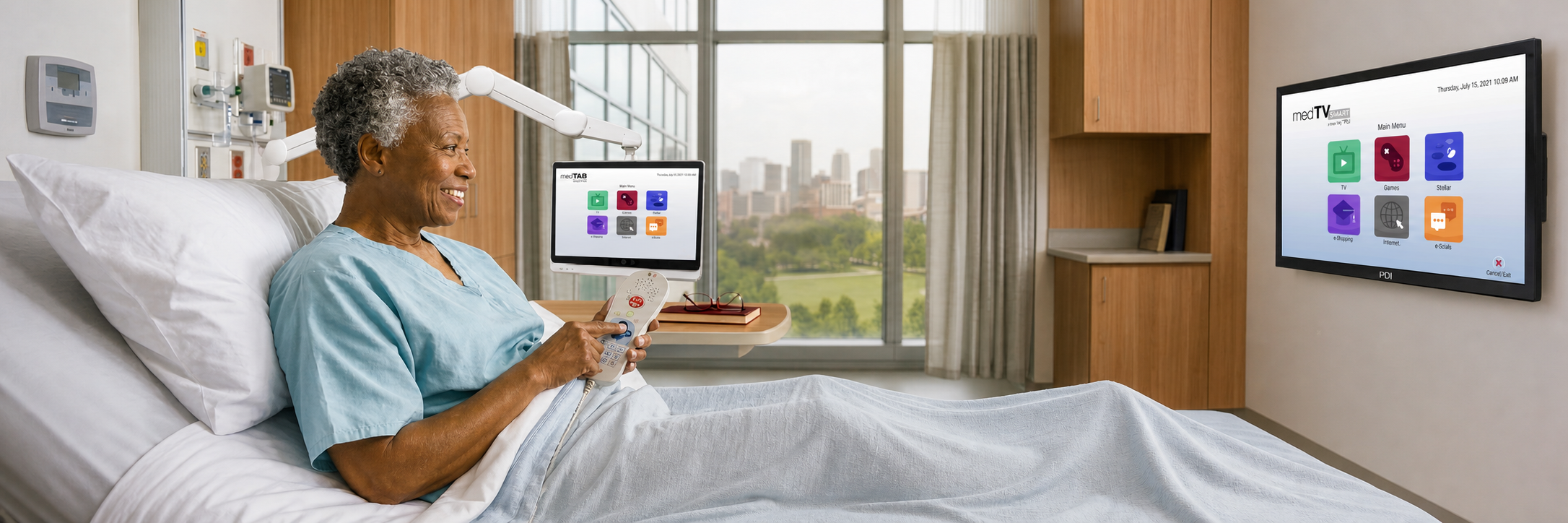
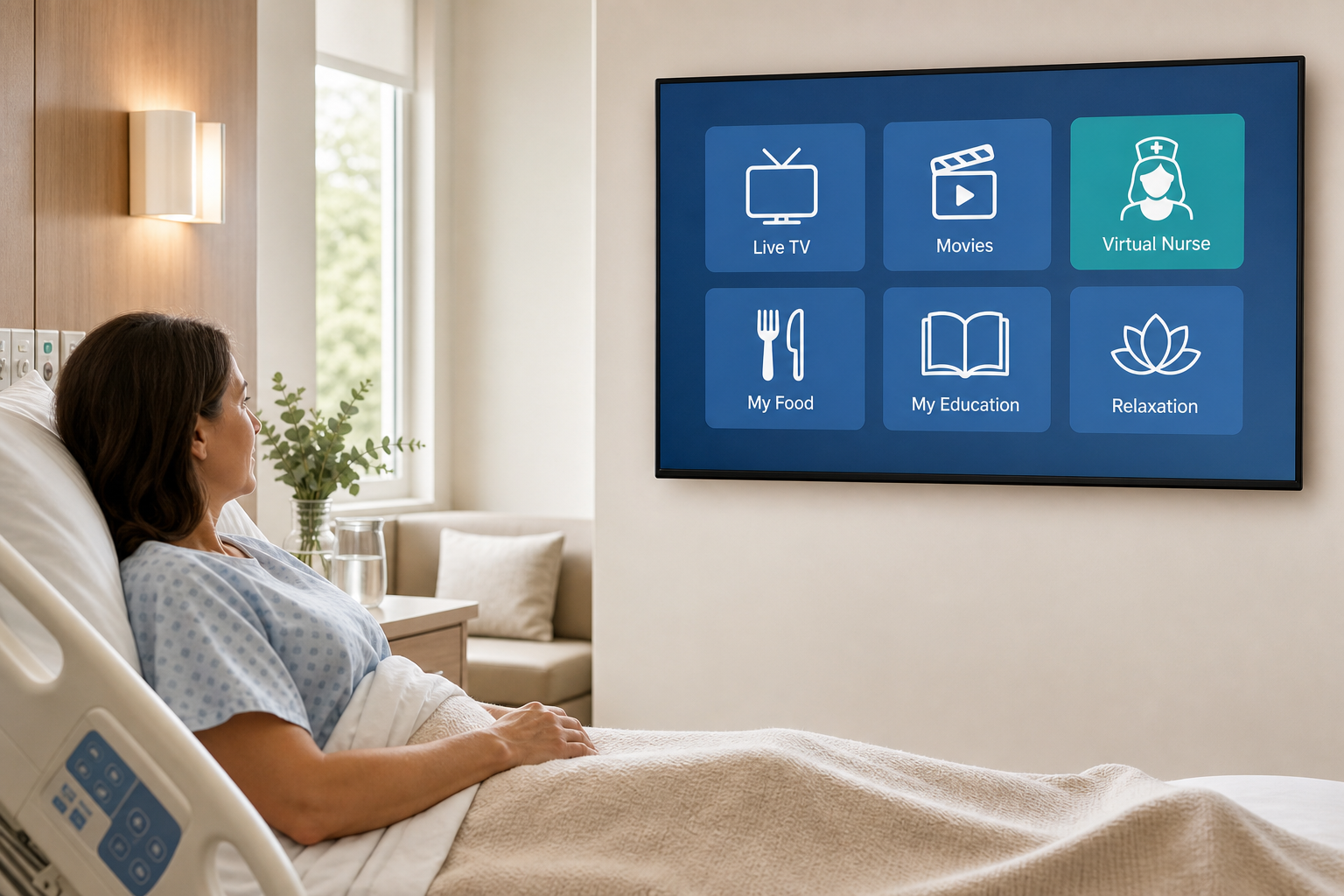
Gone are the days when patient entertainment systems only offered TV channels. Many modern models can now provide patient education, relaxation apps, and access to care info. For multi-campus healthcare networks, the priority is to deliver those services consistently without adding unnecessary work for clinical or IT teams.

According to the Centers for Medicare & Medicaid Services, more than 4,400 hospitals participate in HCAHPS, and nearly 2 million patients complete the survey each year. High HCAHPS scores matter because they directly impact a hospital's finances, public reputation, and patient trust.

The best bedside entertainment and patient engagement systems can contribute to better HCAHPS scores by boosting patient satisfaction. For hospitals operating across several campuses, a coordinated bedside technology plan can be especially useful.

The following are seven steps to improve your patients’ bedside experience.


1. Understanding Your Existing Entertainment Infrastructure

A useful starting point is taking inventory of patient room displays at each of your locations. This can include:

  • equipment age
  • screen sizes
  • room counts
  • TV signal delivery
  • cabling
  • network connectivity
  • pillow speaker compatibility
  • headend and content subscriptions
  • existing patient engagement apps

It is also worth reviewing recurring service issues, such as blank screens, unreliable streaming, or controls patients find difficult to use. These findings can help you see which facilities need new equipment and which may benefit from upgrades to existing displays. Room-level records of connections and recent faults can also make installation planning easier.


2. Setting Goals for Each Care Setting

Your requirements will vary by facility. In acute care units, you may prioritize access to care plans and educational materials. Rehabilitation patients may benefit from adjustable, personal arm-mounted bedside displays and relaxation content, while dialysis and outpatient settings may place greater emphasis on comfortable viewing during lengthy treatment sessions.

It can be helpful to involve your nursing, patient experience, and IT teams early in planning. Together, you can identify goals such as reducing noise on patient floors, improving access to educational content, or reducing support response times. These priorities can guide equipment selection. For patients with limited mobility, it may also be worth considering display position, menu readability, and ease of use.


3. Selecting Healthcare Grade Bedside Display Equipment

When buying TVs for your facility, it helps to consider applicable UL/cUL listings, cleaning compatibility, mounting options, durability, and patient controls. Requirements for protected TV content, pillow speakers, and planned clinical applications also deserve attention.

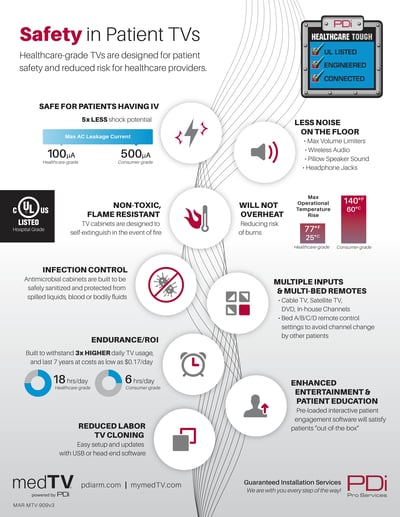
Consumer grade displays do not have the strict electrical safety, infection control, remote controls or durability features required in healthcare environments. So investing in healthcare grade systems is a smart choice.

PDi-Safety-Infographic v3-HROhio-based PDi Communication Systems, Inc. offers a variety of Android-based healthcare grade bedside technology for patient infotainment:

  • A-Series: A-Series Smart Hospital TVs provide wall-mounted entertainment and deploy Epic MyChart Bedside TV. They are available in sizes ranging from 24-, 32-, 43-, 55-, and 65-inches.
  • TV Boxes: The PDi TV Box can add smart features to compatible existing displays without replacing every screen. This patent-pending smart device also supports MyChart Bedside TV.
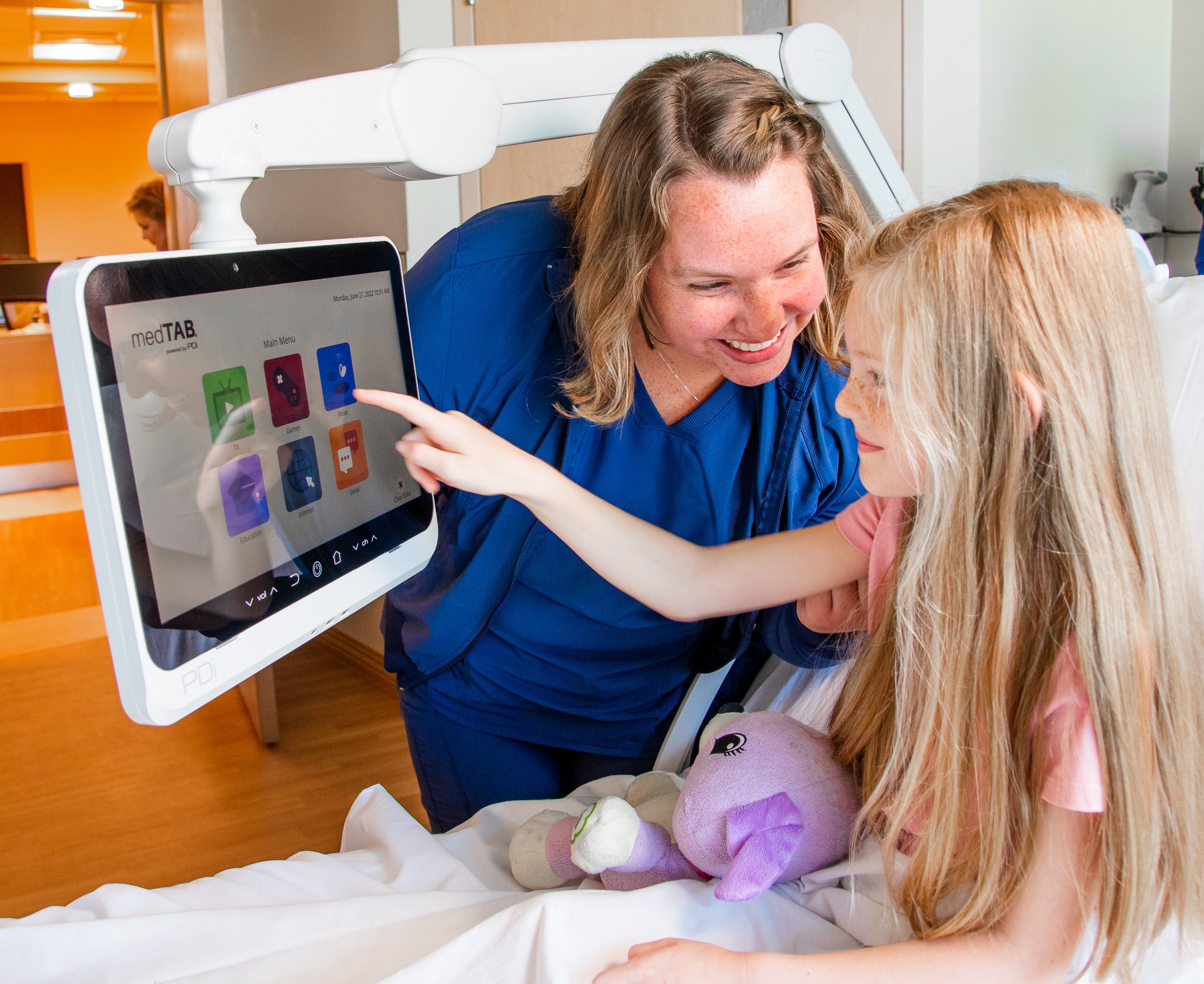
  • Arm-mounted displays: The medTV16 provides arm-mounted personal TV viewing, while medTAB touchscreens add interactive patient-facing functionality. PDi also supplies complete, low-voltage arm systems.
  • M-Series Monitors: The M-Series Monitor is purpose-built for the PDi TV Box and other HDMI inputs. Coming in 55-, 65-, and 75-inch sizes, they offer a large-screen viewing experience.
  • K-Series TVs: The K-Series is a line of low-cost, non-smart TVs that primarily provide RF TV. They can also be paired with the PDi TV Box to deliver a smarter patient experience. Available sizes include 24-, 32-, and 43-inches.

Before procurement, be sure to check the specifications of the exact model you are considering. Features can differ within a product family, including power requirements.


4. Planning for IPTV, Streaming, and Network Capacity

Your facility may be better served by RF cable TV, IPTV, or both. The best fit depends largely on your current infrastructure. You can determine the most suitable option by reviewing your headend equipment, network segmentation, wireless coverage, firewall policies, expected concurrent viewing, and subscription costs, with patient populations and future expansion in mind. Whether you are upgrading from analog to digital, transitioning to IPTV (television over Ethernet) or Power over Ethernet (PoE), or troubleshooting existing cabling infrastructure, PDi ProServices can help.

Before you upgrade full

For example, 200 separate streams at an assumed 5 Mbps would require about 1 Gbps before overhead. Actual demand depends on resolution, compression, and unicast versus multicast delivery. Testing during peak usage, including application and firmware updates, can reveal capacity issues. A pilot can also show how devices recover after brief network interruptions without compromising clinical traffic.


5. Managing Your Devices Centrally

If you manage hundreds or thousands of patient displays, configuring each device manually can be inefficient. A solid MDM platform can help your facility teams configure settings, send firmware updates, and monitor device health across enterprise locations.

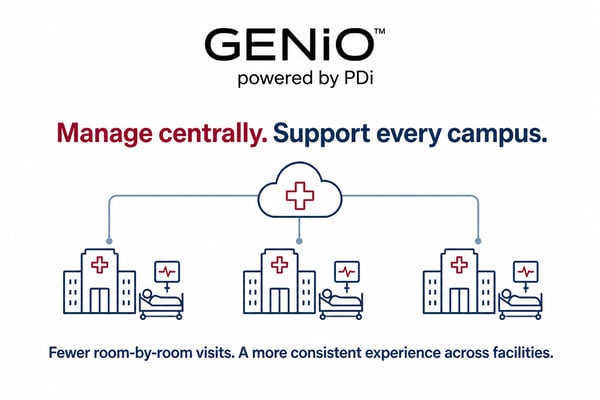
PDi's GENiOTM is a cloud-based hospital MDM tool that lets you remotely manage PDi’s smart TVs, set-top boxes, and launcher functions, including software deployment, device monitoring, and configuration updates. You can reduce routine room-by-room visits and provide a more consistent experience across your facilities.

GENiO Logo Healthcare IT Infographic

A staged approach can reduce the risk of network-wide changes. Testing software and configurations on representative devices first can also help confirm that apps, controls, and patient privacy functions behave as expected. Version records and a rollback plan, where supported, provide additional safeguards.


6. Supporting Staff and Patients

Patients benefit when they can change channels, adjust volume, and open approved content without repeatedly calling for nurses. Brief training for your patient-facing staff on unique healthcare controls like pillow speakers, accessibility features, and routine troubleshooting can help. Concise instructions are often easier to use during normal care routines.

A clear process for connectivity problems, application failures, replacement devices, and escalation can also help your IT team. Short guides tailored to each role are often more useful than extensive manuals. A brief introduction to available features can help patients feel comfortable using them and know where to get help. PDi ProServices can assist with installation, cabling, and supporting infrastructure.


7. Measuring Results to Improve the Experience

After deployment, you can assess your progress against the goals you established earlier. Device availability, repeat support tickets, resolution times, patient feedback, and appropriate content analytics can provide useful indicators. Comparing results across campuses may reveal both recurring problems and successful practices.

HCAHPS trends can also inform your broader patient experience assessment. Quarterly discussions with your patient experience and IT leaders can turn service data into improvements.


Frequently Asked Questions

Can Bedside Entertainment Improve Patient Satisfaction?

It can help you make a hospital stay more comfortable and improve access to entertainment or information. Your outcomes will still depend on usability, reliability, and accessibility.

Can Your Existing Hospital TVs Be Upgraded?

In some cases, yes. A compatible display may gain supported smart functionality through a set-top box. The feasibility depends on connectivity, control interfaces, and applicable safety requirements.

How Can Centralized Management Help Your Campuses?

Centralized management helps you configure settings, send firmware updates, and diagnose device problems without sending staff into each patient room for routine tasks. This can reduce steps, time spent, and errors during multi-device setup.


Conclusion

You can improve bedside entertainment without replacing every display. A patient-centered approach that brings together appropriate hardware, reliable content delivery, centralized management, and regular performance reviews can support that goal. PDi offers an all-in-one patient entertainment ecosystem comprising hospital TVs, displays, TV boxes, and a device management tool to help. If you would like to discuss options suited to your facilities, you can contact PDi.

Why an All-in-One Hospital TV Solution Beats a Multi-vendor Approach

Why an All-in-One Hospital TV Solution Beats a Multi-vendor Approach

Discover why an all-in-one hospital TV simplifies operations, reduces costs, and enhances patient engagement compared to aftermarket multi-vendor...

Read More
How Patient Engagement Software is Transforming Healthcare

How Patient Engagement Software is Transforming Healthcare

Patient engagement software empowers patients by giving them the tools they need to take the best possible care of themselves. Learn more.

Read More
3 Best Practices for Hospital Fall Prevention

3 Best Practices for Hospital Fall Prevention

Amid competing priorities, fall prevention often gets overlooked, yet remains one of the most frequently reported sentinel events and is critical to...

Read More